Smart Plug Getting Hot During Use? Is It Normal or a Problem?
Quick Answer
A smart plug feeling mildly warm is often normal, especially when it’s powering something that draws steady power (space heater on “low,” a dehumidifier, a gaming PC, or a busy power strip). Smart plugs contain a relay and power components that naturally waste a small amount of energy as heat.
What’s not normal is a plug that becomes too hot to comfortably touch, smells “electrical,” shows discoloration, or gets hotter over time. In real homes, the most common reason is load-related: the device is near the plug’s limit, has a high startup surge, or the heat can’t escape because of placement.
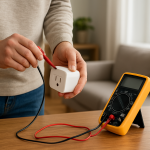
Do these 3 diagnostic actions now: (1) Unplug the load and let the plug cool, then plug it back in with a small load like a lamp to compare heat. (2) Check the app’s energy/power reading (if available) and compare it to what the appliance typically uses. (3) Move the plug to a different wall outlet with nothing else on that outlet and re-test for 10–15 minutes.
Why This Happens
Heat is created when current flows through the smart plug’s internal switching components and contacts. A little heat is expected; a lot of heat is a warning sign that the plug is handling more current than it comfortably can, or that something around it is making heat worse.
Common, tightly related causes include:
First, high or continuous load: devices with heating elements, compressors, or motors can draw significant current for long periods, which raises plug temperature.
Second, startup surges: refrigerators, freezers, sump pumps, air conditioners, and some power tools can briefly pull much higher current when starting. A plug that seems “fine” most of the time can overheat during repeated startups.
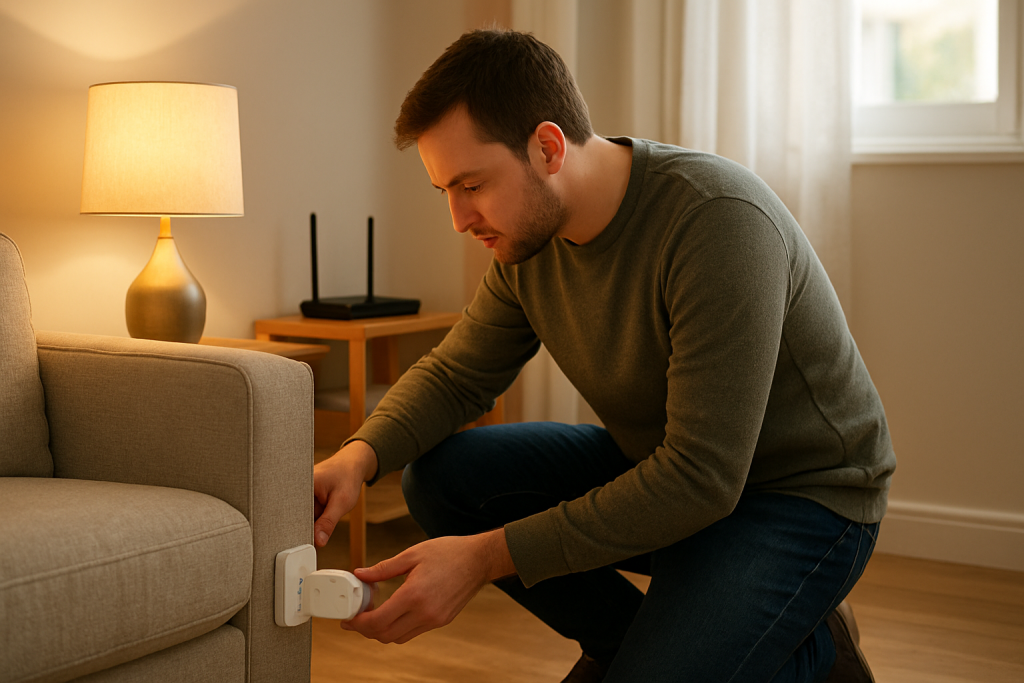
Third, poor heat dissipation: a plug behind a couch, inside a packed power strip area, or in a tightly covered outlet can’t shed heat. Real-world scenario: a smart plug behind a media cabinet runs a soundbar and TV; it gets hotter after you push the cabinet back against the wall, cutting airflow.
Fourth, a common user mistake: plugging a high-draw appliance into a smart plug because “it’s rated for 15A” without considering surge behavior, continuous duty, or that the plug may be sharing the outlet with other loads via a power strip.
Fifth, an overlooked technical cause: a slightly loose wall outlet or worn contact can create extra resistance at the blades, which generates heat at the outlet face and the plug. You can’t always see this, but you can often detect it because the outlet area becomes warm too, not just the smart plug body.
Most Likely Causes in Real Homes
These are ordered by probability:
1) The connected device is drawing near the smart plug’s practical limit (especially heaters, kettles, portable AC, dehumidifiers). More current equals more heat.
2) The appliance has high inrush (startup) current (compressors/motors). Heat spikes can happen even if average power looks reasonable.
3) The plug is installed where heat builds up (behind furniture, stacked adapters, crowded power strip, direct sunlight). Normal warmth becomes “hot” without airflow.
4) The wall outlet or extension/power strip connection is adding resistance (loose fit, worn contacts). Heat concentrates around the blades/outlet area.
5) Automation or recovery behavior is cycling the load (power-outage recovery, schedules, voice routines), causing repeated on/off surges and extra heating.
Step-by-Step Fix
What to do: Unplug the smart plug immediately if it is too hot to touch comfortably, if you smell burning/plastic, or see discoloration. Let it cool completely in open air, then inspect for visible melting or browning around the prongs and casing (no disassembly).
What the result means: Any smell, discoloration, soft plastic, or warping suggests unsafe overheating rather than “normal warmth.”
If this fails, try next: If there is any visible damage or odor, stop using it and skip to “When to Reset or Replace the Device.” If it cools and looks normal, continue.
What to do: Re-test with a known small load for 10–15 minutes (a lamp or phone charger directly in the smart plug, not a power strip). Keep the plug in open air, not behind furniture.
What the result means: If the plug stays only slightly warm with a small load, the plug is likely okay and the original appliance/load conditions are the cause. If it still gets hot with a small load, suspect the plug itself or the outlet connection.
If this fails, try next: If it’s hot even on a small load, move to step 3 to isolate the outlet vs the plug.
What to do: Move the smart plug to a different wall outlet (preferably a different room/circuit) and repeat the small-load test. When plugged in, gently check whether it feels loose or wiggles excessively in the outlet (do not force anything).
What the result means: If the plug runs cooler in the new outlet, the original outlet connection is likely contributing to heat (resistance/poor contact). If it runs hot in multiple outlets with a small load, the smart plug is the likely problem.
If this fails, try next: If the original outlet seems to be the issue, stop using that outlet for high loads and consider having it evaluated by a qualified electrician. If the plug appears to be the issue, continue to step 4 for load and automation checks before deciding replacement.
What to do: Check the smart plug’s app for current power draw (W) or current (A) if it’s an energy-monitoring plug (Kasa/Tapo, Meross, SmartThings-compatible, etc.). Compare it to the appliance label or typical usage. Also note whether the reading spikes when the device turns on.
What the result means: A high steady reading or repeated spikes strongly suggests overload or surge heating. If the app shows surprisingly high power, the “hot plug” is a load problem, not a WiFi problem.
If this fails, try next: If the app doesn’t show energy data (or it’s missing), move to step 5 and isolate by appliance type and behavior (heater/compressor/motor vs simple electronics).
What to do: Eliminate cycling caused by schedules/automations. In every place that can control the plug (manufacturer app, Alexa, Google Home, Apple Home, SmartThings, and any Matter controller), temporarily disable routines, schedules, and “power restore” behaviors for a day. Then use only manual on/off in one app.
What the result means: If the plug runs cooler when cycling stops, the heat may be caused by frequent on/off events (especially bad for motor/compressor loads). If it’s just as hot, the issue is primarily load level, outlet contact, or a failing plug.
If this fails, try next: If you still need automation, re-enable only one schedule in one platform and keep others disabled to avoid conflicts. If heat remains excessive, proceed to step 6.
What to do: Recreate the original setup safely but reduce heat stress: plug the appliance directly into the smart plug (no power strip), ensure airflow, and avoid stacking adapters. Test for 30 minutes while periodically touching the plug body (quick touch) to judge whether it’s warming slowly or rapidly.
What the result means: Rapid heating points to overload/surge or poor contact; slow mild warming is more consistent with normal operation under moderate load.
If this fails, try next: If it’s still getting uncomfortably hot, discontinue using the smart plug with that appliance. Use the plug only with lower-draw devices, or replace the plug if it overheats even on light loads.
Advanced Troubleshooting
This section is only needed if basic fixes fail.
Account/cloud issue: If the plug shows wrong status (on in app, off in reality) and you keep toggling it repeatedly, the relay may cycle more than you realize, increasing heat with surge loads. Sign out/in of the manufacturer app, confirm you’re using the correct home/account, and ensure remote control is stable before re-enabling automations.
Network issue: Unstable connectivity can cause delayed commands and “retry storms,” especially after router restarts or mesh node changes. This doesn’t directly create heat by itself, but it can cause frequent on/off events if routines retry. If you’re on mesh WiFi, temporarily place the plug closer to the primary router (not a distant node) and see whether device state becomes consistent.
Firmware/software cause: After firmware updates, some plugs change “power recovery” defaults or timing behavior. Check for firmware updates in the manufacturer app and apply them only when the plug is not controlling a high-surge appliance. If an update fails or the device repeatedly reboots, treat that as a reliability warning and avoid high loads.
Configuration conflict: Duplicate devices (for example, the same plug imported through both a cloud integration and a Matter pairing) can lead to double-commands. If you see two of the same plug in Alexa/Google Home/Apple Home/SmartThings, disable one path and keep a single control source for automations.
Ecosystem sync issue (Alexa / Google Home / Apple Home / Matter): If voice assistants show the plug as “unresponsive” but the manufacturer app works, you may be re-issuing commands and cycling the load. Relink the integration, re-run device discovery, and verify the plug is assigned to the correct home/room. For Matter, confirm you have one primary controller and avoid pairing the same device into multiple controllers in a way that duplicates automations.
When to Reset or Replace the Device
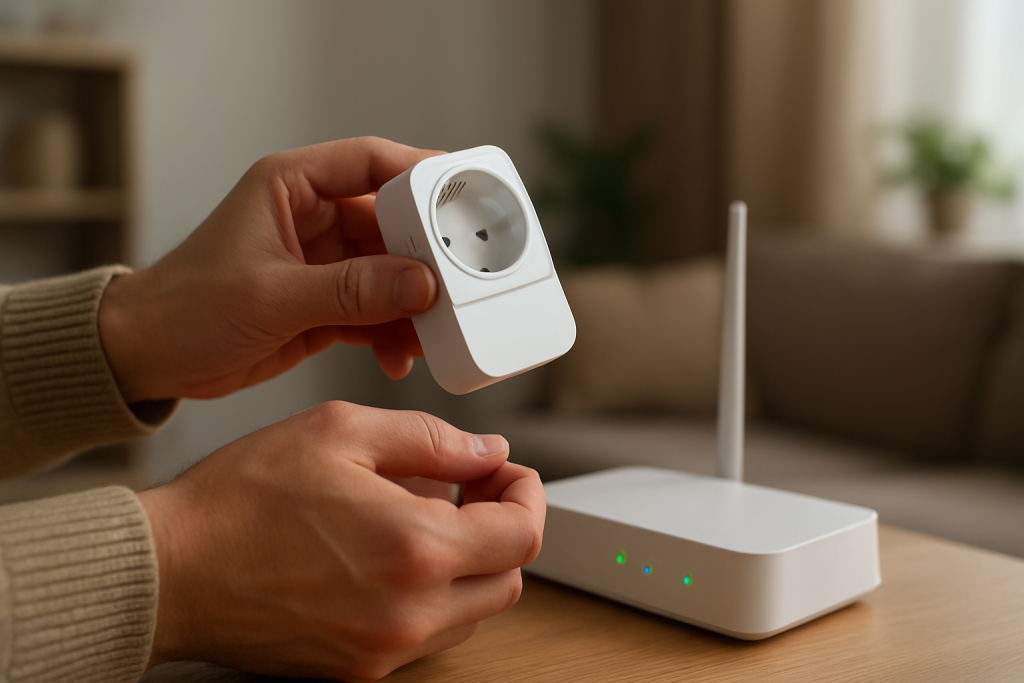
A soft restart is simply unplugging the smart plug, waiting 30 seconds, and plugging it back in. This can clear temporary glitches but will not fix true overheating from overload, poor outlet contact, or failing internal components.
A factory reset removes the plug from your account/home and clears configuration. You may lose pairing to Alexa/Google Home/Apple Home/SmartThings, schedules and timers, room/home assignment, custom names, and for energy-monitoring plugs, historical energy data in the app.
Reset is reasonable when the plug’s status is consistently wrong (on/off mismatch), automations keep reappearing after you delete them, firmware seems stuck, or the plug is “offline” in one ecosystem but stable in another. Reset is not the right first move if the primary symptom is physical heat.
Replacement is reasonable if the smart plug gets hot with a small load in multiple outlets, fails firmware updates repeatedly, drops offline constantly and then “chatters” on/off, or the relay behaves erratically (random clicking). For safety, replace immediately and stop using it if there’s burning smell, discoloration, cracking, melting, or any visible damage, or if it becomes too hot to touch comfortably.
How to Prevent This in the Future
Match the plug to the job: use smart plugs for moderate, steady loads (lamps, fans, chargers, small electronics) and be cautious with heating elements and compressor/motor appliances that surge at startup.
Keep airflow around the plug: avoid placing it behind heavy furniture, inside crowded cable cavities, or under rugs/curtains. Heat that would be “normal” in open air can become excessive when trapped.
Avoid stacking and piggybacking: do not plug a smart plug into a power strip that already runs other high loads, and avoid plugging large adapters into the smart plug that block ventilation.
Maintain clean automations: keep schedules in one place (either the manufacturer app or your main platform like Alexa/Google Home/Apple Home/SmartThings), not duplicated across multiple apps. Conflicting routines can cause extra switching cycles and heat stress.
Have a predictable outage routine: after a power outage or router reboot, wait for your internet/router/mesh to stabilize before testing devices repeatedly. Repeated toggles while devices are reconnecting can lead to unnecessary cycling.
Stay current on firmware and apps: update the plug firmware and smart home apps periodically, but avoid doing it while the plug is controlling a high-surge appliance. After updates, re-check power recovery settings and schedules.
Keep naming and room assignments consistent: duplicate devices or mis-assigned rooms lead to controlling the wrong plug and repeated toggling, which can stress loads and create heat.
FAQ
How warm is “normal” for a smart plug?
Slightly warm is common under moderate load. If it becomes uncomfortably hot to touch, gets hotter over time, or you notice odor or discoloration, treat it as a problem and stop using it until you isolate the cause.
My smart plug is hot, but the app shows low watts. Does that mean it’s safe?
Not always. Some loads surge briefly at startup, and some plugs sample or update energy readings slowly. Also, heat can come from a poor outlet connection, which won’t necessarily appear as high wattage in the app.
Is overheating usually caused by WiFi problems?
No. WiFi and cloud issues can cause repeated switching (which can add stress), but the dominant cause of heat is electrical load and connection quality. Treat physical heat as an electrical/load warning first, then address app or network behavior that might be causing extra cycling.
Can I keep using the plug if it only gets hot when my heater or dehumidifier runs?
If it’s getting hot with those appliances, that’s a strong sign the load is too demanding (continuous draw or startup surges) or heat is trapped by placement. The safer approach is to stop using the smart plug with that appliance and reserve it for lower-draw devices; if the plug also heats on small loads, replace it.
What’s striking is how quickly the noise fades when the stakes are named plainly. The rest feels less like a crisis and more like a matter of choosing a better normal, even if it won’t make headlines.
There’s a quiet satisfaction in that—like finally finding the right key for the lock you kept blaming yourself for. The work is already understood; now it just has to show up in everyday life.